
A command-line tool can print lines, which stay in the terminal's scrollback but look plain. Or it can take over the screen like a full-screen app, which looks good until it exits and takes its output with it. I wanted the looks of the second and the scrollback of the first, so I wrote console, an OCaml library for tables, trees and live progress rows that print into the scrollback. Its first version, 0.9.0, is now on opam:
$ opam install console console-eio
It comes in two parts. console is a set of pure, composable widgets.
Each one is a three-dimensional object, drawn in the room it is given (a
width and a height) at a given time, so the same widget can be printed
once or animated. There are enough of them to write a command-line
game where a camel jumps over
lambdas,
or a stock
ticker.
console-eio is the driver that feeds them the clock, the keyboard and
the terminal's size changes, through
Eio for now. Both need OCaml
5.4, on Linux or macOS.
It looks like a TUI, but you can scroll
The recordings in this post look like full-screen terminal applications, but none of them is one. A full-screen program switches the terminal to its alternate screen, which suits an editor. A build or a test run is different, as its output is read after it ends, in a CI log or by an LLM agent that ran it. So console redraws only the few rows at the bottom that are still running, and everything a program printed is still there when it ends.
OCaml is a great language for command-line tools, and I have written or maintained a few of them over the years, opam among them (Louis Gesbert later made its output much nicer). But I have always looked jealously at the tools of other ecosystems, and I have brought one to OCaml before, with Tailwind without Node. Docker's BuildKit, cargo, uv and pnpm print lines into the scrollback and redraw only a small live region below them, and they look good doing it. I wanted the same for OCaml, with a pure OCaml API and output versatile enough for all my tools, including the one I am writing to deploy applications to satellites with SpaceOS.
OCaml already had some of the pieces. printbox prints boxes, tables and trees, and progress draws progress bars. But I could not combine them, because a box cannot redraw and a progress bar cannot sit in a table. console has a single type of view for both, so the live rows are built from the same tables, trees and panels as the output that stays in the scrollback. Most libraries keep the size and the time in mutable state, as Bubble Tea does in its model. A console widget takes both as arguments, so it can nest in any other widget and still move.
console borrows a lot from Python's Rich, which it is modelled on, and from indicatif in Rust and Charm's lipgloss in Go. Full-screen frameworks such as Charm's Bubble Tea or OCaml's notty solve a different problem. The README's related work lists the rest.
To see how far a single type of view goes, I imitated the output of the tools I use every day. None of these is the real tool: each is a short console program that draws its rows the way that tool does, and its source is in the repository's examples directory. So you can now pick your favourite package manager, and have your OCaml tool look like it:
opam install
cargo build
pnpm install
docker buildx build
brew install
nix build
uv sync
apt installTasks and their logs
A program reports its work as tasks. While a task runs, its row shows
its latest lines in a window of ~log_lines of them: its
Logs messages, the lines given to
Task.log and what it prints with Fmt.pr. The window folds away when
the task succeeds, as BuildKit's does. When the task fails, it stays
under its ✗ line:
open Console

let build root =
  Task.run root "compile" (fun step ->
      Task.log step "ocamlopt parser.ml";
      Logs.warn (fun m -> m "parser.ml: unused variable x"));
  Task.run root "test" (fun step ->
      Task.log step "test_parser: 11 passed";
      Task.log step "test_lexer: expected 3, got 4";
      Task.fail step);
  Task.fail ~message:"1 test failed" root

let () =
  Eio_main.run @@ fun env ->
  Console_eio.run ~clock:(Eio.Stdenv.mono_clock env) ~label:"Building" build
The rows go to standard error, which leaves standard output to the program. Piped into another program with both, nothing is redrawn, and each line is printed once (left). On a terminal, the rows of the tasks still running are redrawn in place, under a table of the steps that changes as they go (right, from another example). A warning logged outside a task stays above the rows once that task succeeds:
$ ./build.exe 2>&1 | cat
• compile
  › compile: ocamlopt parser.ml
  ! compile: parser.ml: unused variable x
✓ compile  0.0s
• test
  › test: test_parser: 11 passed
  › test: test_lexer: expected 3, got 4
✗ test  0.0s  failed
✗ Building 0.0s (2/2)
✗ 1 test failed
Themes
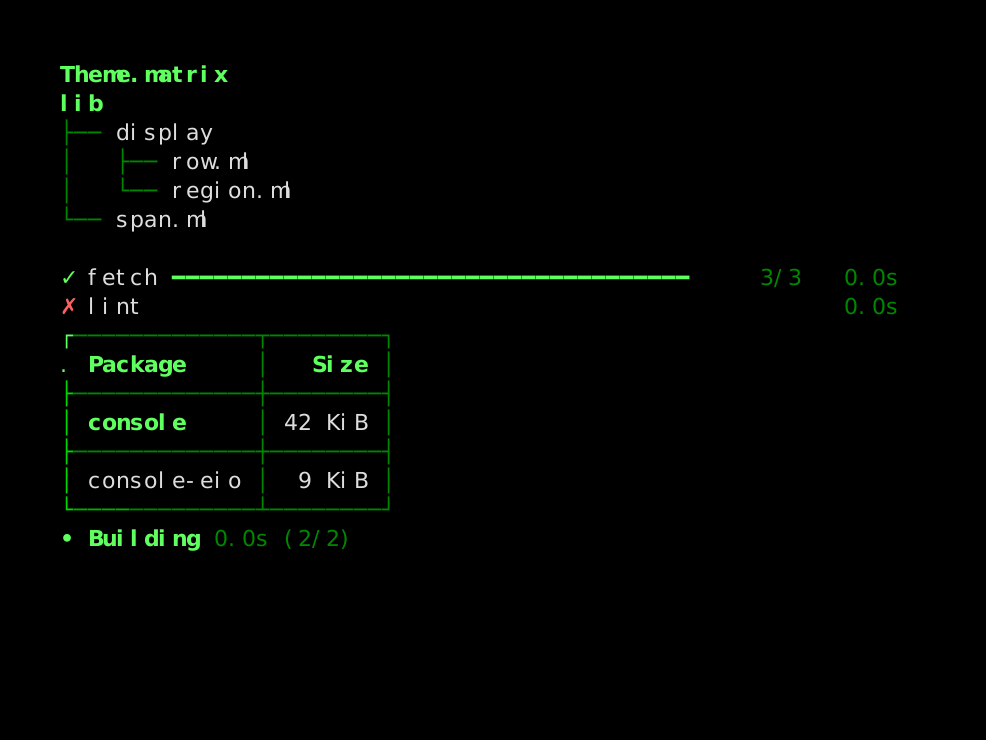
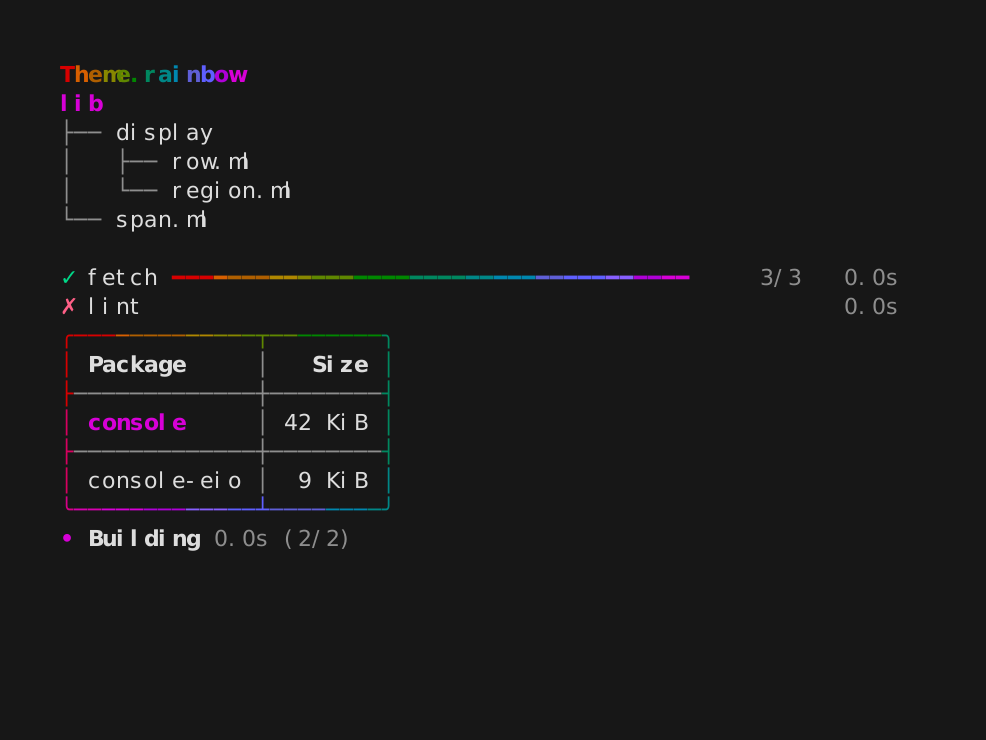
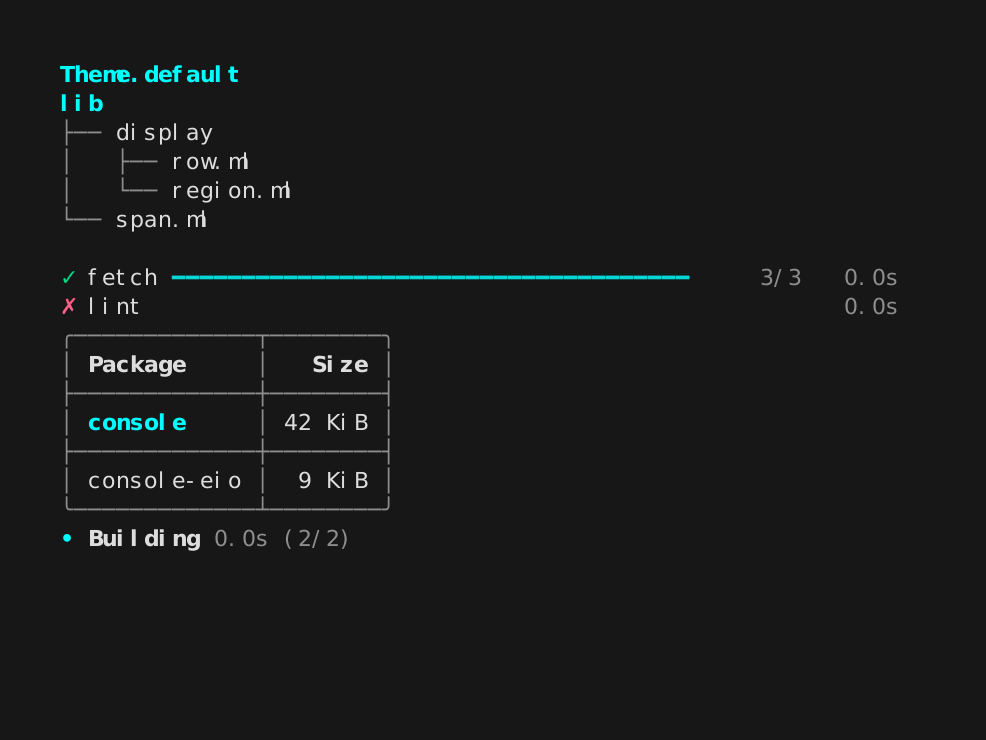
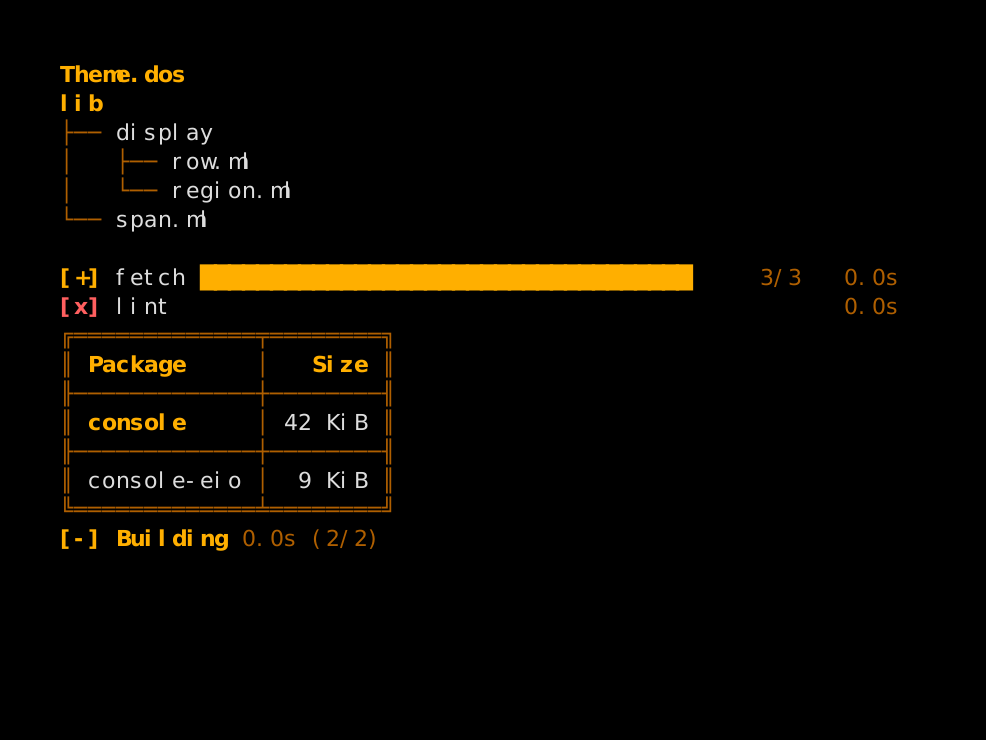
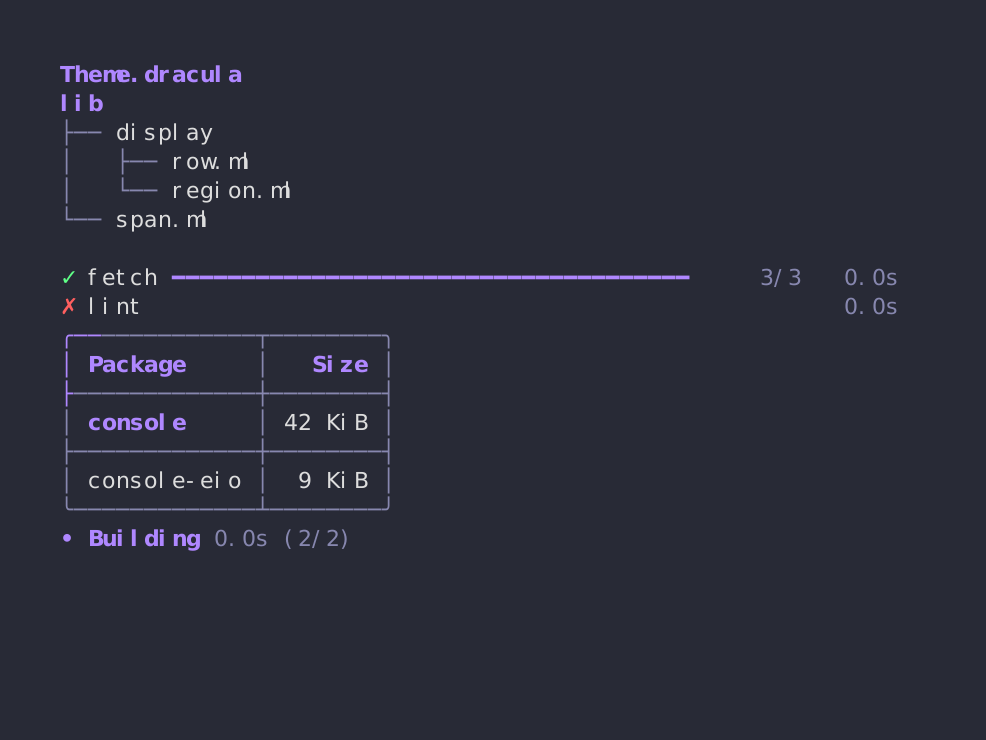
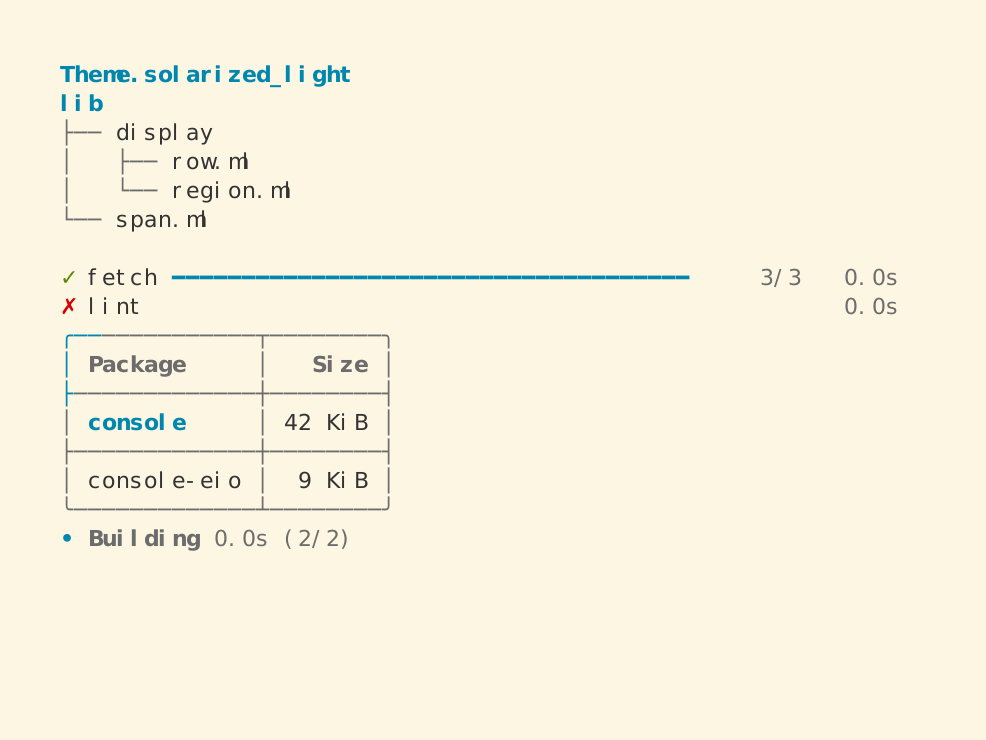
console comes with a bunch of themes, all shown in the
README, and you can
define your own. The default theme uses
the terminal's own colours. Others follow existing colour schemes, such
as Dracula and
Solarized. Theme.matrix and
Theme.rainbow are animated.
Putting views together
Tables, trees, panels and bars can all be put inside one another, a bit like boxes in an HTML page. Here, for instance, a tree of files sits next to a small panel, which has a sparkline inside it:
open Console

let tree =
  let leaf s = Tree.v (View.text s) [] in
  Tree.view
  @@ Tree.v (View.text "lib")
       [ leaf "view.ml"; leaf "table.ml"; leaf "panel.ml" ]

let build =
  Panel.view ~title:(View.text "Build")
    (View.vcat
       [
         View.text "time   1.2s";
         View.hcat
           [ View.text "trend"; Bar.sparkline [ 3.; 5.; 2.; 8.; 6.; 9. ] ];
       ])

let () =
  Console_tty.setup ();
  Fmt.pr "%a@." View.pp (View.hcat [ tree; build ])
lib           ╭──── Build ────╮
├── view.ml   │ time   1.2s   │
├── table.ml  │ trend  ▂▄▁▇▅█ │
└── panel.ml  ╰───────────────╯
The same goes for bar charts, and for the live rows themselves. So a program can keep a summary table above its running tasks, or give each of its builds a column of its own:
Not only progress bars
The live rows can draw more than progress bars, like the camel at the
top of this post. I also built a simulated
Winamp 2 player out of console's
ordinary widgets. Two panels hold the player and the playlist. Vertical
bars draw the spectrum analyser, whose bands are a few sines and some
seeded noise, so every run draws the same frames. Horizontal bars draw
the volume, the balance and the seek bar, and plain text laid out with
View.hcat and View.vcat gives the LCD digits and the scrolling title.
A theme of its own then gives it Winamp's colours, with the analyser's
palette from Winamp's default skin:
open Console

let rgb = Color.rgb
let green = rgb 0 232 0

(* Winamp's default analyser colours (viscolor.txt), from the bottom up. *)
let viscolor =
  [
    rgb 24 132 8;
    rgb 41 206 16;
    rgb 148 222 33;
    rgb 222 165 24;
    rgb 214 90 0;
    rgb 239 49 16;
  ]

let theme =
  Theme.v ~name:"winamp" ~accent:green ~palette:viscolor
    ~muted:(rgb 150 150 150) ~background:(rgb 41 41 57) ~border:Border.single
    ~header:Style.(bold + fg (rgb 214 214 222))
    ()

let () = Console_tty.setup ~theme ()
Keeping the terminal at the edge
The goal is for console to work with the libraries OCaml command-line
tools already use. A view prints with
Fmt on any formatter, and
Console_tty.setup takes the same style renderer as Fmt_tty, so a
--color flag from Fmt_cli works unchanged.
Logs works unmodified too, as the
tasks above show.
For tables and trees, that is easy, as each of them is just a value that
a formatter function prints, a bit like the view in the Elm
architecture. The live rows
are trickier, as they depend on time and on the size of the terminal.
So the display never reads the clock or asks the terminal for its size
itself: it is given a function for each, and a formatter to write to.
console-eio provides them for Eio programs, and the tests provide a
buffer and a clock that they move by hand.
This is the same idea as in nqsb-TLS, the TLS stack of MirageOS. Its core takes bytes and returns bytes, and leaves the network to its caller. console is less strict, as its display still writes to the formatter it is given instead of returning what to write. But the clock and the terminal stay outside, and that is what makes the recordings reproducible.
Recording the animations
A library like this one is shown by its animations, and I changed the code every day while writing it. Recorded by hand, with VHS or asciinema, the images in the README would have stopped matching the code within a week. So I wrote k7, a small language-agnostic tool, to record them (see last week's post). Under a mocked clock, a console program's output no longer depends on how fast the machine is, so k7 draws the same SVG image, animated with CSS alone, on every run. Each image is then a test. dune draws it again from its program and diffs it against the one in the repository, so the images change with the code.
What's next
I will move my own tools to console over the next few weeks, before cutting a 1.0 release, starting with the ones in my Homebrew tap and the SpaceOS CLI. I tried a few ideas over the last six months in an experimental playground, but the GitHub repository is now the official one, and the one released on opam. I will delete the playground once all my tools have moved. Feedback is welcome on its issue tracker.
